Your digital life, back in your hands.
Apple, Google, Snapchat and the rest owe you a full copy of your data. Muletto shows you how to request it, then opens the file in your browser so you can search it, clean it up and keep it. Nothing is ever uploaded.
No account. No upload. Nothing leaves your device.
Bring your data home from
From locked away to genuinely yours.
Three steps, no technical knowledge required.
Request your data
Follow a clear, hand-checked guide to ask each service for a complete export. We tell you what you will get and how long it takes.
Open it in your browser
When your download arrives, drop it into Muletto. It opens in seconds - no account, no waiting, and nothing leaves your device.
Make it yours
Merge every service into one library, remove the duplicates, put the real dates back and search the lot - by what is written in it, or by what is in the pictures. Then keep it somewhere you control. It stays open between visits, so coming back is not starting over, and when you export again next year everything already worked out still applies.
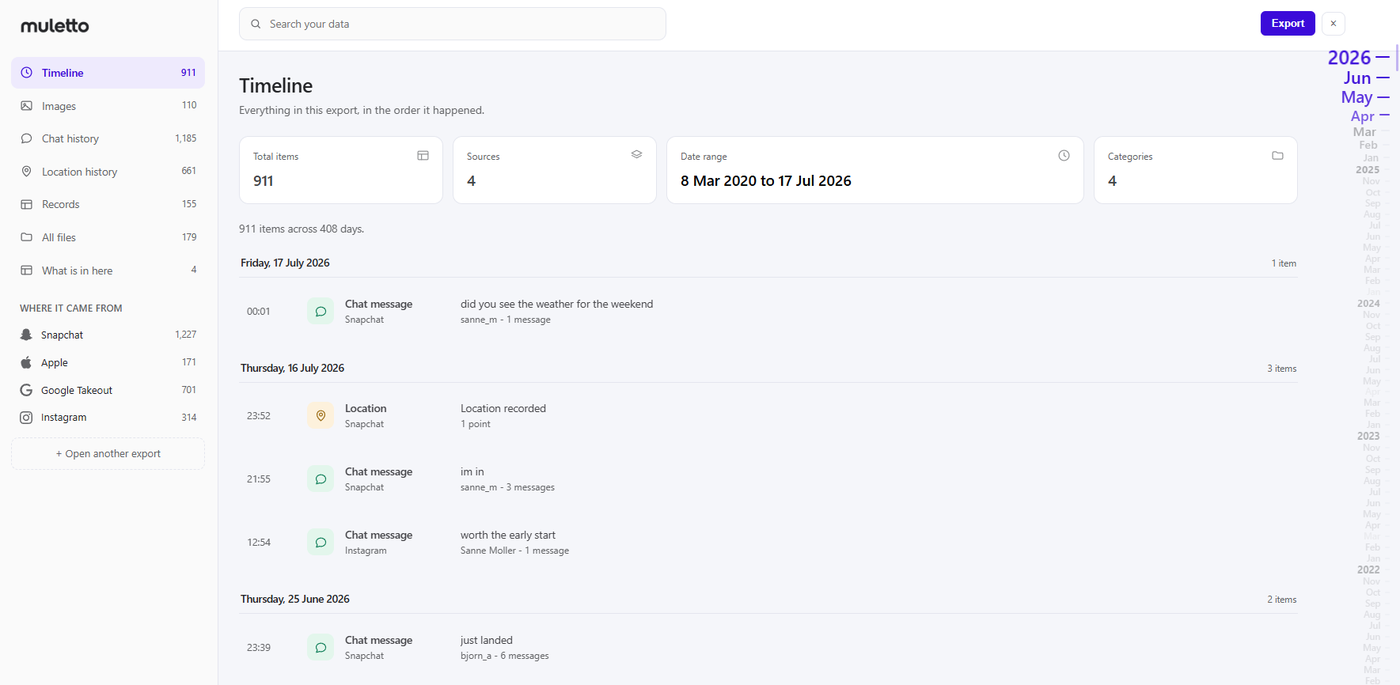
This is what you get back.
Not a description of it. The screens you will actually be looking at, ten minutes after your download finishes.
Then the part nobody enjoys: sorting out the photos.
Twelve years of pictures, four services, and six copies of the same one. Exports make this worse before they make it better - so Muletto fixes it in the same place you opened them.
The same photo, six times
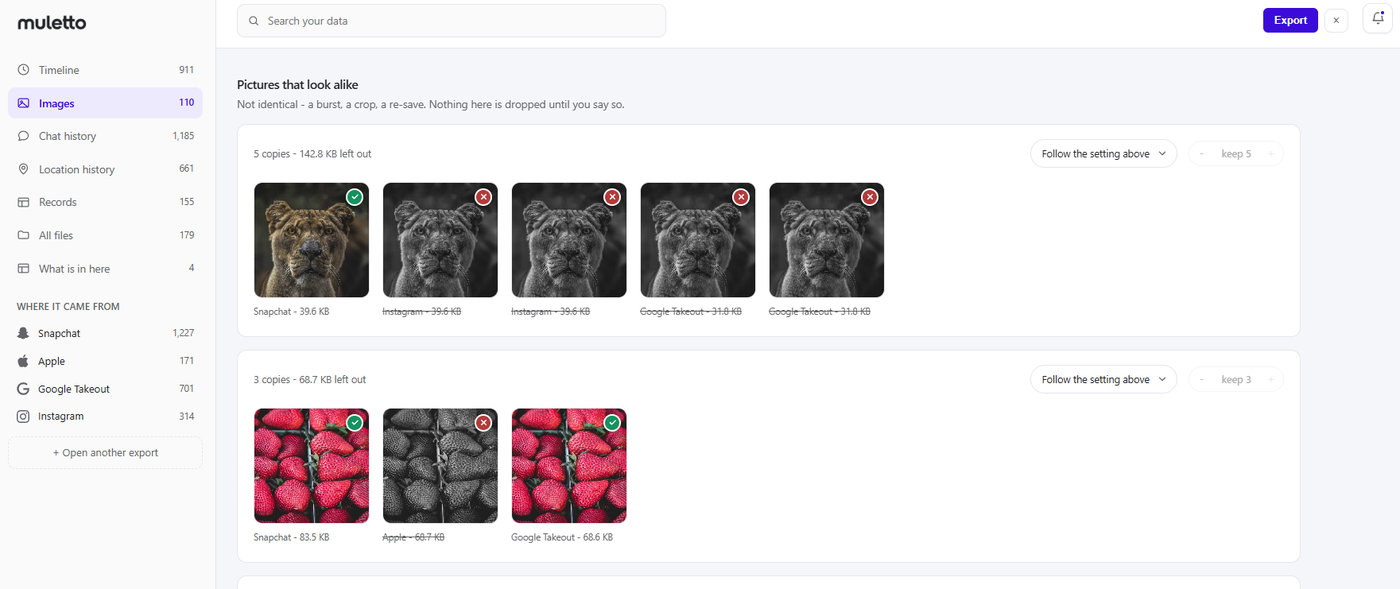
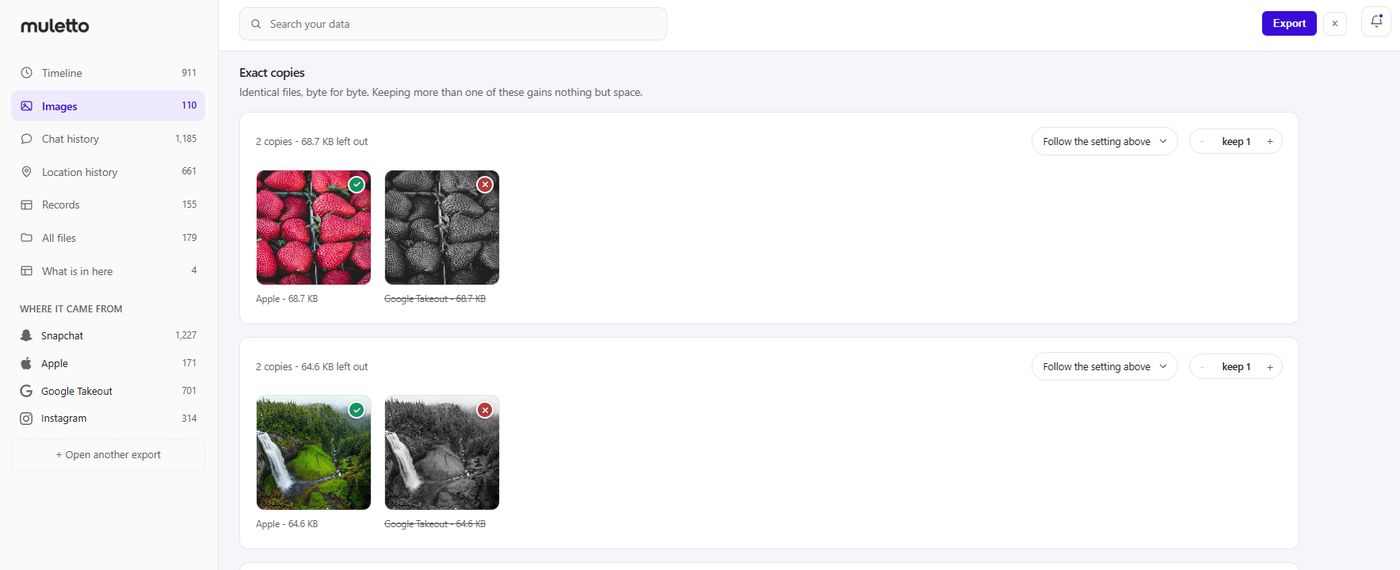
Backed up to iCloud, synced to Google, sent to someone on WhatsApp, saved again from the chat. Muletto matches them byte for byte across every service at once, and finds the near-copies too - the burst, the crop, the re-save.
Everything dated today
Exports routinely strip the capture date, so a decade of photos claims to be from the afternoon you downloaded them. Muletto reads the real date back out and writes it into the file, where anything you open it in will find it.
Find the one with the red bicycle
Optionally, every photo gets a sentence describing what is in it, so you can search for "beach" or "birthday cake" instead of scrolling. The sentence is written into the file, so the search still works in Apple Photos, Immich or Lightroom once the library moves on.
Or just say what you want
"Keep folders of people and post-it notes, leave out the screenshots, put the rest somewhere separate." Write it in a sentence and you are shown exactly what it would do - every folder, its count, and six of the pictures in it - before anything moves.
You choose what to keep
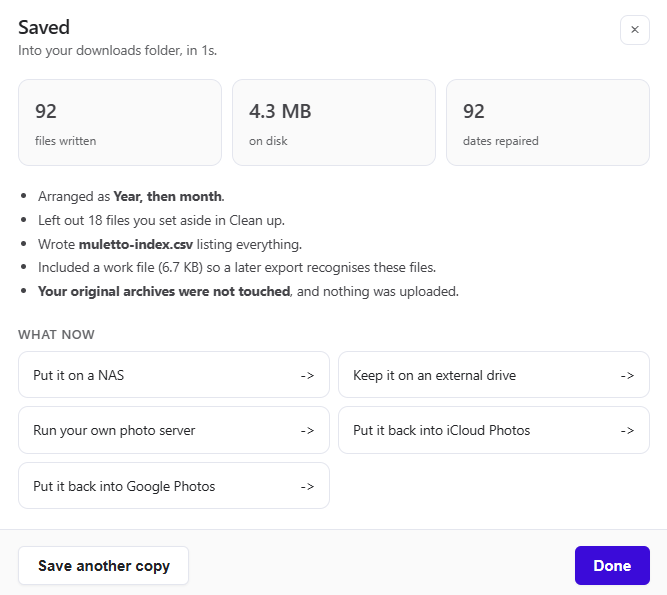
Nothing is ever deleted from your archives. You decide what a tidied copy contains - keep the biggest of each, keep them all, or go group by group - and that is what gets written.
One library, not a dozen scattered exports.
Every service hands you a different pile of files. Muletto reads them into a single, clean view and finds what is worth keeping.
- Merge Apple, Google and Samsung into one de-duplicated library
- Find exact and near-duplicate files, reclaim the space
- Repair missing dates and locations from the export metadata
- Describe photos so the library is searchable by what is in it
- Sort thousands of photos into folders by describing what you want
- Open HEIC and AVIF without converting anything first
Get your data out today.
Start with a guide, or open an export you already have.